Client proofing for photographers
Proofs your clients can love, but not walk away with.
imageveil blurs the faces in your proofs and keeps them watermarked until your client pays. A screenshot never captures a clean, sharp photo, and a client who wants the real thing has to buy it.
Free to startNo commission on paid plansDownload only, no print fulfilment
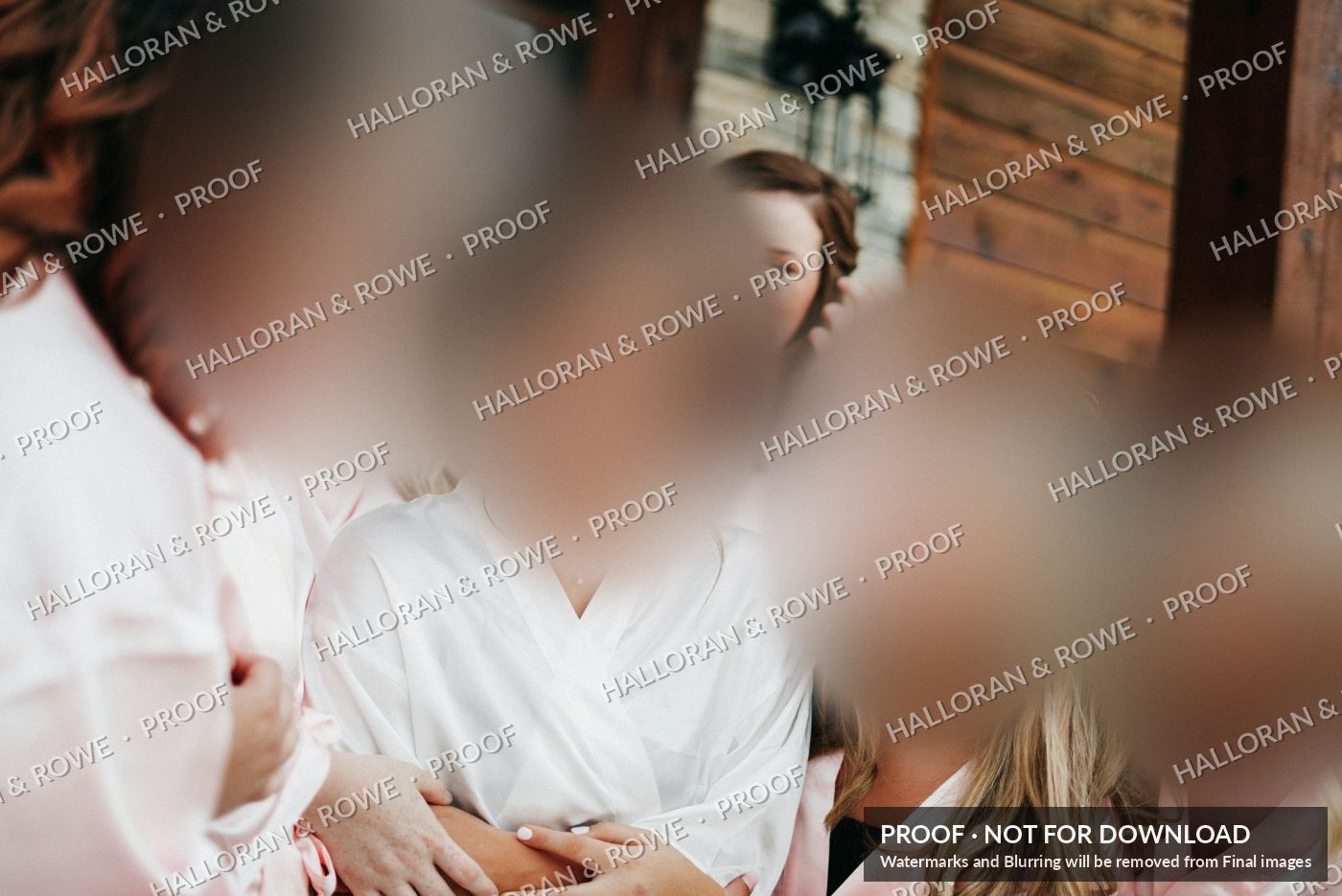
Hover (or tap) a face. Only that face comes into focus. Everything else blurs.
The problem
Watermarks stopped working.
Clients screenshot your proofs, remove the watermark with a free AI tool, and walk away without paying. You've probably heard the stories from other photographers. Maybe you've lived one.
One keystroke captures the whole proof. It costs the client nothing and takes a second.
Free tools can strip a watermark in under a minute. A watermark alone is now a polite request, not protection.
A small, low-resolution preview can be enlarged and sharpened into something that looks good enough to post.
So we stopped relying on the watermark, and veiled the faces instead.
How it works
Four steps, no tricks for you.
Upload your photos, check the faces we found, and share a private link. Your client does the rest.
Upload
Drop in your gallery. We find the faces and show you each one, so you can fix any we got wrong.
Share
Send a private link by email, with an optional PIN and an expiry date. Your clients don't need an account.
They look
Faces are blurred by default. Hovering a face brings that one face into focus while the rest of the picture blurs.
They buy or choose
Clients buy downloads, or pick favourites and leave comments for you. Paid photos arrive without blur or watermark.
Try the whole thing in the live demo →
What clients see first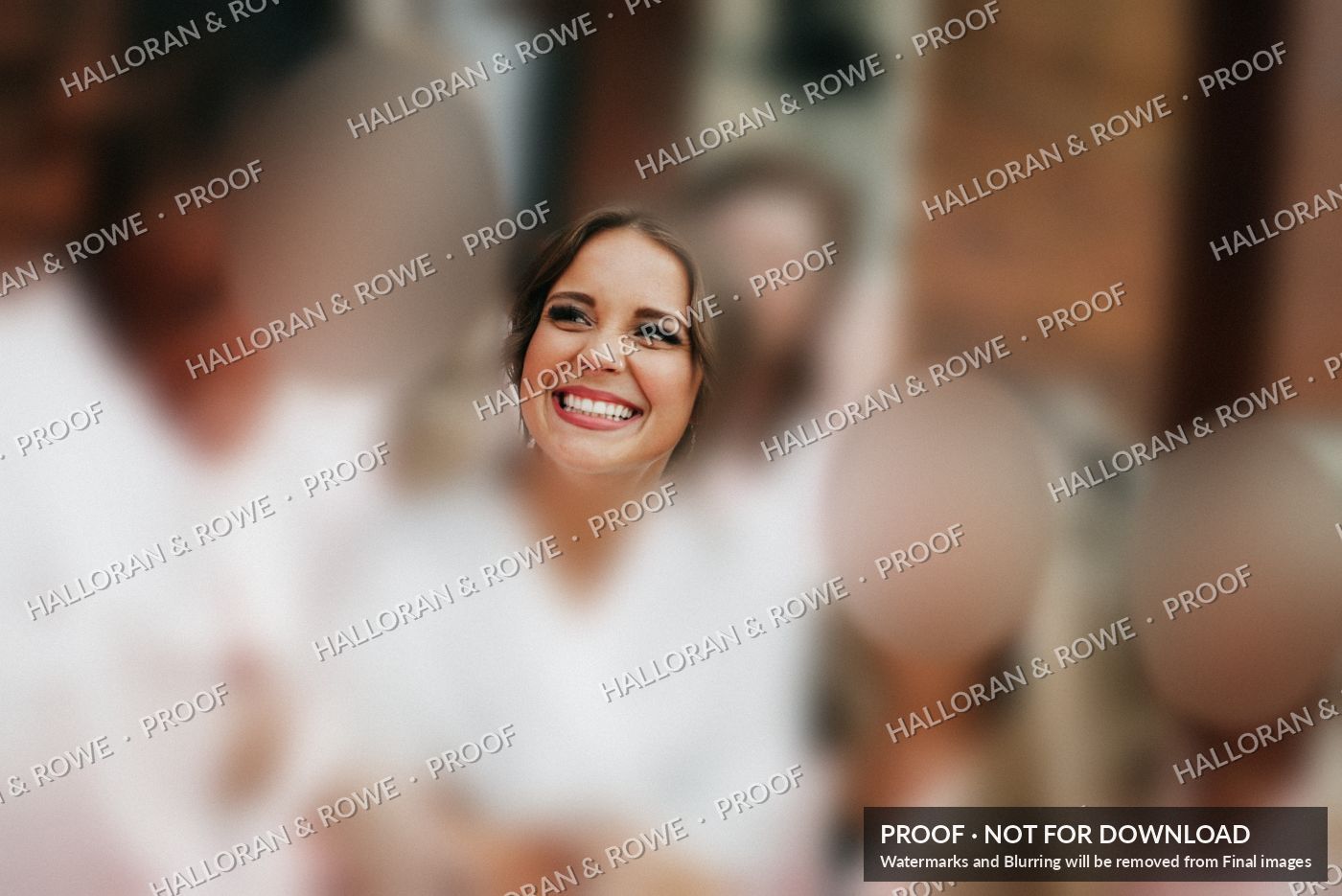 On hover
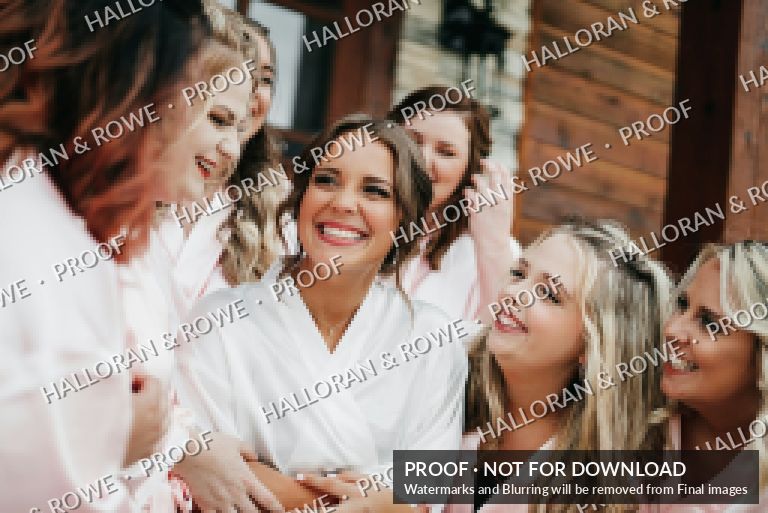 Optional
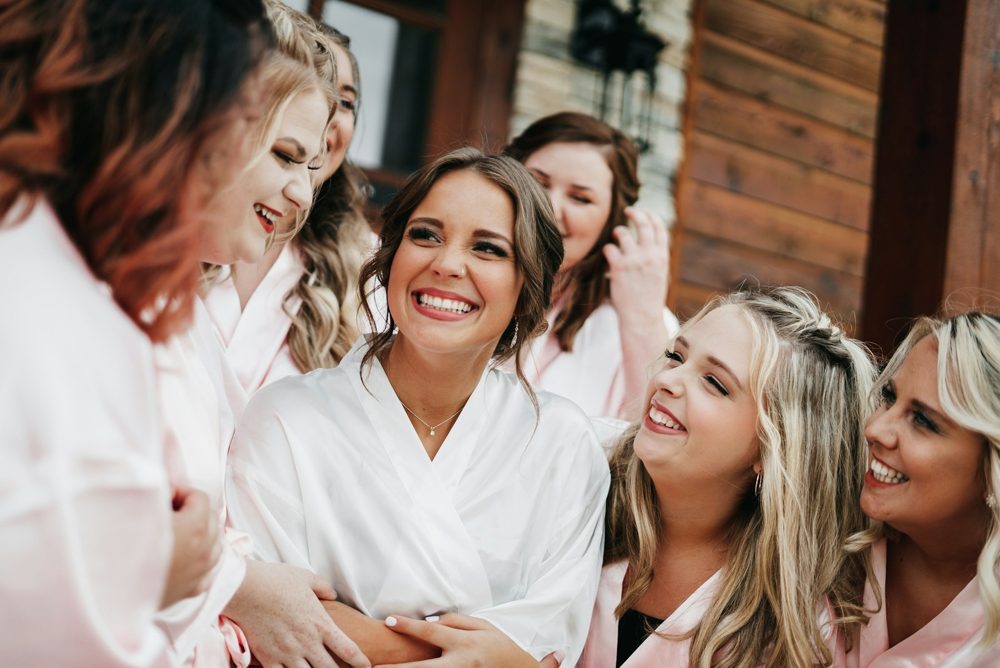 After payment
Why it's different
The protection is in the picture.
Most galleries add warnings on top of a full photo. imageveil changes the photo the client receives.
A sharp photo with a logo on it
- A screenshot captures everything, sharp
- The watermark can be removed by AI in seconds
- A small preview can be upscaled
A sharp photo with a lock on the door
- Detection blocks common screenshot shortcuts
- Phone cameras and other capture methods get around it
- The sharp face is still in the file
A photo whose faces aren't there yet
- Faces are blurred in the image itself
- A hovered face is sharp, but the rest of the frame is blurred
- A ring around each face is blurred in both views, so two screenshots can't be merged cleanly
- Quick look is tiny, blocky and watermarked
Honest limits
No gallery can stop everything. A client could photograph their screen with a phone, or ask an AI to repaint a face from scratch. What imageveil does is make the result small, blurred and obviously not your photo, and make buying the easier choice. The most prominent people in the frame are protected, because they are the ones most likely to buy.
Features
Everything a proofing gallery needs, and a few things it doesn't.
Face-veiled proofs
Prominent faces are pixelated and heavily blurred under a watermark. Background guests are left alone.
Hover to reveal
Clients see one face at a time, fading smoothly in and out. It feels like magic, and it works on touch screens too.
Check every face
Review each detected face before you publish. Blur it, always blur it, or leave it, and set how prominent counts.
Sell downloads
Single images, the whole set, or both. Set a price per image and an optional discount or fixed set price. Download only.
Select and comment
Clients pick favourites for an album and leave short notes such as "remove the wine stain", then send it to you. Set a limit if you like.
Lock after submission
Once a client sends their choices they're locked, so nothing changes without you knowing. Reopen at any time. Buying is never affected.
Quick look and zoom
Let clients check detail with a brief, very low-resolution look, and zoom into the protected proof.
Your brand, your way
Upload your logo, choose dark or light, and pick Modern, Classic, Elegant, Romantic or Editorial. Clients see your brand.
Private invitations
A branded email and link, with an expiry date and an optional PIN. Make a new link any time to switch the old one off.
Dashboard
See what's sold, who selected what, which comments came in, and download the list as a CSV. You're emailed when a client sends.
Clean originals
Your full-size files stay private. Clients only ever receive the protected proofs until they pay.
Works on phones
Clients can look, choose and buy from a phone. Pinch to zoom, tap to reveal.
Two ways to use it
Sell your work, or shape the album.
Pick one, or both. You choose when you sign up and can change it any time.
Sell digital downloads, without the leaks
Clients see your photos and buy the ones they love. You get paid before the clean file leaves your hands.
- Price per image and a whole-set deal
- Faces veiled until payment
- Dashboard of every sale
Get feedback and favourites, safely
Clients choose their favourites and leave comments for the album or for retouching, without you worrying about your proofs getting out.
- Select, reject and comment on each photo
- An optional limit on how many they can choose
- Locked on submission, so nothing changes unseen
Pricing
Simple pricing. No commission once you're on a paid plan.
Every plan includes the full face-veil protection. Start free and upgrade when your galleries grow.
Free
Try it on a real gallery and see how your clients react.
Free forever
- 1 active gallery, up to 50 photos
- Face-veil, hover reveal and watermark
- Selections, comments and the lock
- Sell downloads (10% commission)
- Your logo, themes and styles
- PIN and link expiry
Pro
For working photographers sharing galleries every month.
Billed €96 a year
- 15 active galleries, 20 GB
- Everything in Free
- 0% commission on your sales
- Your logo, dark or light, five styles
- Private links with PIN and expiry
- Quick look and zoom controls
Studio
For busy studios and wedding photographers with a lot of galleries.
Billed €240 a year
- Unlimited active galleries, 250 GB
- Everything in Pro
- Remove "Powered by imageveil"
- CSV export of selections and comments
- Priority support
Payments. Clients pay by card and the money goes to you. The payment provider charges its own processing fee, which we don't add to or take a cut of on paid plans. Prices are in euro and exclude VAT where it applies. Prints and shipping aren't included: imageveil is for digital downloads and selections.
Questions
Things photographers ask us.
Can a client still screenshot the gallery?
They can, but there's nothing worth taking. Faces are blurred in the proof, and a face you hover is sharp only while everything around it is blurred. Quick look, if you turn it on, is tiny and watermarked. A client could still photograph their screen or ask an AI to invent a face, but the result won't be your photo.
Do my clients need an account?
No. They open the private link you send them, with an optional PIN, and look, choose or buy straight away.
Does it find faces correctly every time?
Not perfectly, which is why you review them. We show every face we found. You can resize or move a circle, add one we missed, or leave a person unblurred. Background guests are left alone unless you say otherwise.
What happens to my original photos?
Your full-size files are kept privately. Clients only receive the blurred, watermarked proofs until a purchase is made, and then the clean file for that photo.
Can clients order prints or an album through imageveil?
Not at the moment. Clients can buy digital downloads, or select photos and comment so you can make the album or prints yourself. We don't handle printing or shipping.
Can I stop a client changing their picks after they send them?
Yes, and it's on by default. After a client sends their selections or comments, the gallery locks and they have to contact you to change anything. You can reopen it for them from your dashboard. Buying photos still works.
Can I use my own logo and colours?
On Pro and Studio you can upload your logo, choose dark or light, and pick a style. Your clients see your brand rather than ours.
Get started
Create your first gallery in minutes.
Tell us how you plan to use imageveil and we'll set it up to match. You can change everything later.
- Free plan, no card needed
- Set up for downloads, feedback, or both
- We email you a sign-in link, so there's no password to remember